
How to add an AI chatbot to your website Live on your website in three steps.
Here's how to add a chatbot to your website without coding or building flows. SmartChatAI reads your website, learns your business and answers your customers on your website, Facebook and Instagram. You check the answers, paste a short snippet of code into your website, and every keen customer's details come straight to you.
Free plan · No contract · Cancel anytime
The three steps
Add your website
SmartChatAI reads your pages and learns your business. Add files, text, Q&A or Notion pages for anything that isn't on your site.
Check the answers
Ask it the questions your customers ask in the Playground. If it misses something, add the answer in plain English, retrain and ask again.
Go live
Paste a short snippet of code into your website and connect your Facebook Page and Instagram. When a customer is keen, their details come straight to you.
Step 1
Step 1: Add your website
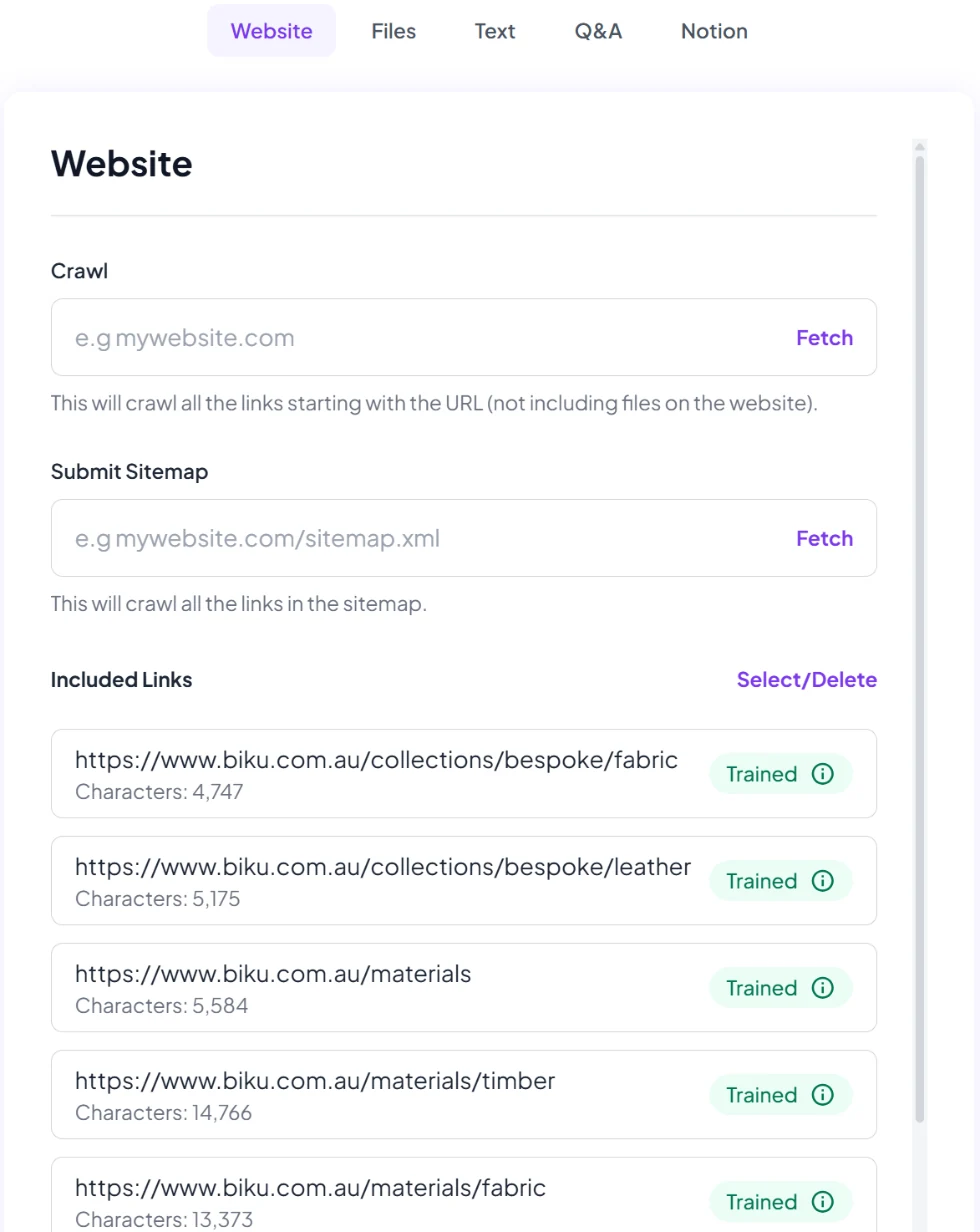
Type in your website address, or submit your sitemap. SmartChatAI reads your pages and learns your business: what you sell, where you work, your prices, your policies, the lot. This is how you train a chatbot on your website without writing a single script.
Your website rarely has everything, so you can add more:
- Your website pages, read for you
- Files such as price lists, brochures and policies (PDF, Word, Excel, TXT or XML)
- Text and Q&A: the answers you give on the phone every day, in your own words
- Notion, if that's where you keep your notes
It answers only from what you give it, not the whole internet.
Step 2
Step 2: Check the answers
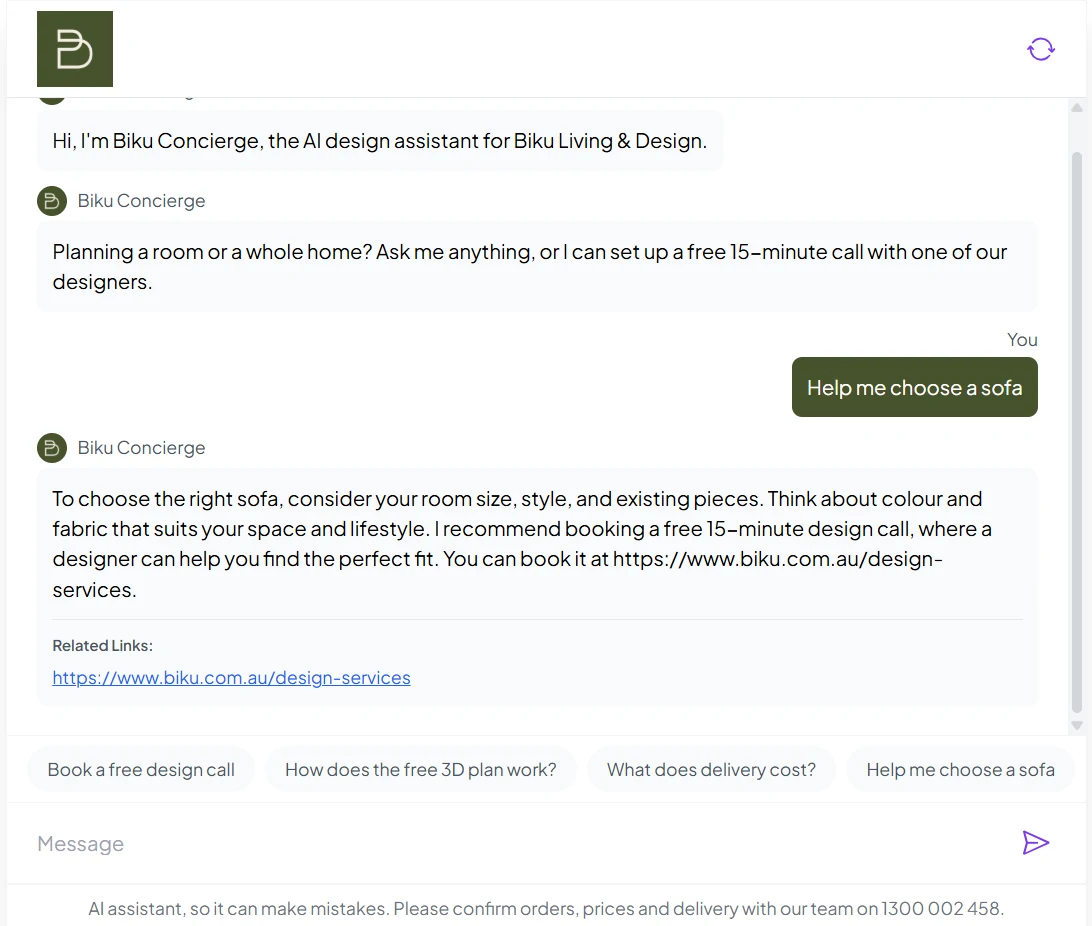
Before any customer sees it, open the Playground and ask your chatbot the questions your customers ask. Do you service my suburb? How much is a call-out? Do you work weekends?
If it misses something, add the answer in plain English in the Knowledge Base (Text or Q&A), click Retrain Chatbot and ask again. When it doesn't know, it says so and offers to take the customer's details, rather than making something up.
Go live when you're happy with what it says. You can keep adding answers whenever you like.
Step 3
Step 3: Go live
Put it on your website, connect Facebook and Instagram, and leads come straight to you.
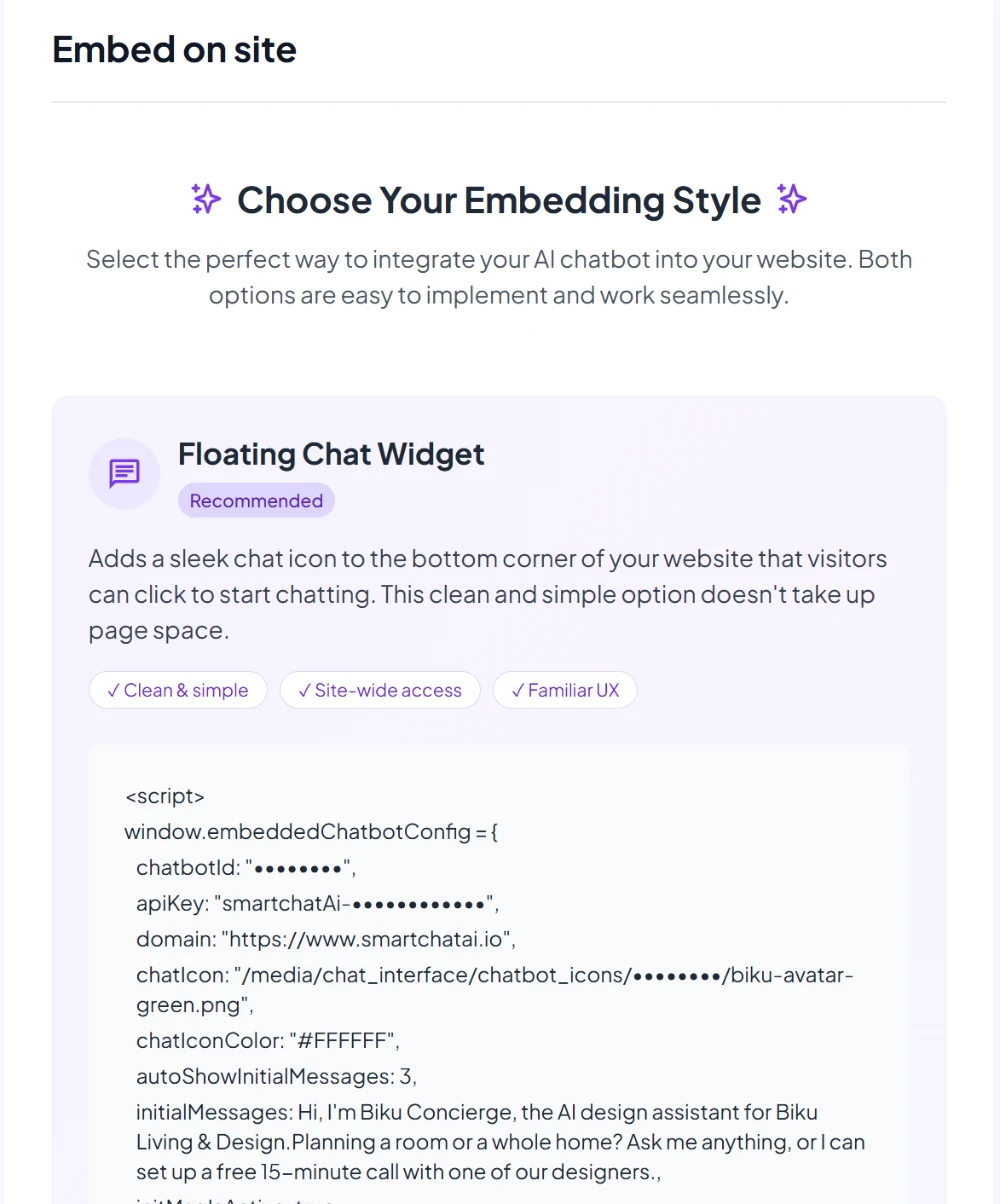
- Your website: copy the embed code from Embed on site and paste it into your site. It works on any website that lets you add code to every page, including WordPress and Shopify, and on more than one website.
- Facebook and Instagram: connect your Facebook Page and Instagram professional account. The same chatbot answers your Messenger and Instagram DMs with the same knowledge.
- Leads: when someone's keen on your website, it collects their name, email, phone and preferred contact method and pings you straight away, so you can call while they're still interested. Turn on lead emails in Settings → Notifications, and each new lead is emailed to you straight away.
- Where you work: send leads to HubSpot, Zapier, n8n or a webhook as they arrive, and get a leads email daily, weekly or monthly.
More on each channel: the website chatbot, the Facebook Messenger chatbot and lead capture and integrations.
New lead: Sam
Saturday visit in Burleigh. Wants a call back. 9:43pm (example)
After you go live
After you go live
You don't have to babysit it. A few minutes a week keeps it sharp.
Read every chat in one inbox
Every conversation and lead from your website, Messenger and Instagram lands in one Inbox. Chats you have while testing in the Playground stay out of it.
Fill the gaps you spot
See a question it couldn't answer? Add the answer and click Retrain Chatbot.
Call back while they're keen
Leads arrive with a name and number, so you can follow up the same day instead of digging through four apps.
No flows, no code
What you don't need to do
Scripted chatbots only know what you write for them. SmartChatAI learns from your website, so it can answer questions you never thought to write down.
- No flows or decision trees to build
- No coding, and no changes to your website's design
- No agency, and no contract
- No writing hundreds of answers up front: your website already has most of them
We made a $6k sale from the bot.
Ryan is also SmartChatAI's founder.
Done for you
Rather we set it up for you?
Our Australian team adds your website, checks the answers and puts the chatbot on your site. It's $449 one-off, inc. GST.
We aim to have it live on your website within 3 business days.
The 3 business days start once we have your website address and a way to add the code.
Set-up is included on the Business plan.
Questions
Questions about getting set up
Next steps we're building
- Book appointments straight from the chat into Google or Outlook calendars
- Hand a chat to a person on your team (live chat)
We'll only call these live when they are. Until then, your chatbot takes the customer's details so you can follow up.
How long does it take to add a chatbot to my website?
Reading your website takes minutes, not days: SmartChatAI learned the 1,000+ pages on Biku's website in under five minutes (Biku is our founder's own business). Most of your time goes into step 2, asking it your customers' questions and filling any gaps. You can go live as soon as you're happy with the answers.
Do I need a developer or any coding?
No. You copy the embed code from Embed on site and paste it into your website's HTML, the same way you'd add Google Analytics. If you'd rather not touch your website at all, our Australian team can do it for you.
Which websites does it work on?
Any website that lets you add code to every page, including WordPress and Shopify. On Wix and Squarespace, that depends on your plan. You can use the same chatbot on more than one website.
What if the answer isn't on my website?
Add it. Upload files, paste in text, write questions and answers, or connect Notion, then click Retrain Chatbot. The chatbot answers from everything you give it, and only from that. When it still doesn't know, it says so and takes the customer's details so you can follow up.
Does it keep learning after I go live?
It learns from the content you give it, not from chats on its own. Read your conversations in the Inbox, and when you spot a question it couldn't answer, add the answer and click Retrain Chatbot. Once training finishes, your chatbot uses the new answer.
Can I try it before I pay?
Yes. The Free plan is free forever, with 100 answers a month and no card needed, so you can do all three steps and go live without paying. Paid plans start at $29 a month inc. GST, month to month.
Want the bigger picture? See how SmartChatAI works as an AI chatbot for small businesses, or compare plans and pricing.
Add your website. See what your chatbot knows.
Start free in a few minutes, or let our team set it up for you.