
Website chatbot A website chatbot that learns your business.
A website chatbot only helps if it knows your business. SmartChatAI reads your own website, files and notes, then answers your customers' questions in seconds, day and night. When someone's keen, it collects their details so you can call back.
Free plan · No contract · Cancel anytime
Your homewares store
On your website
New lead: Tom
Quote: 2.4 m oak dining table, Brisbane delivery. 11:49pm
An example conversation for a fictional store. Your chatbot answers from your own content.
Why speed matters
A contact form waits. A chatbot answers.
Visitors ask their question while they're on your site. Answer it then, and the enquiry doesn't sit in a form until someone checks it.
37%
of US firms replied to an online enquiry within an hour, and 23% never replied.
7x
Firms that responded to an online lead within an hour were nearly 7 times more likely to reach a decision-maker than those that waited longer.
Trained on your content
A chatbot trained on your website, not the whole internet
Scripted chatbots only know what you write for them. SmartChatAI learns from your website, so it can answer questions you never thought to write down.
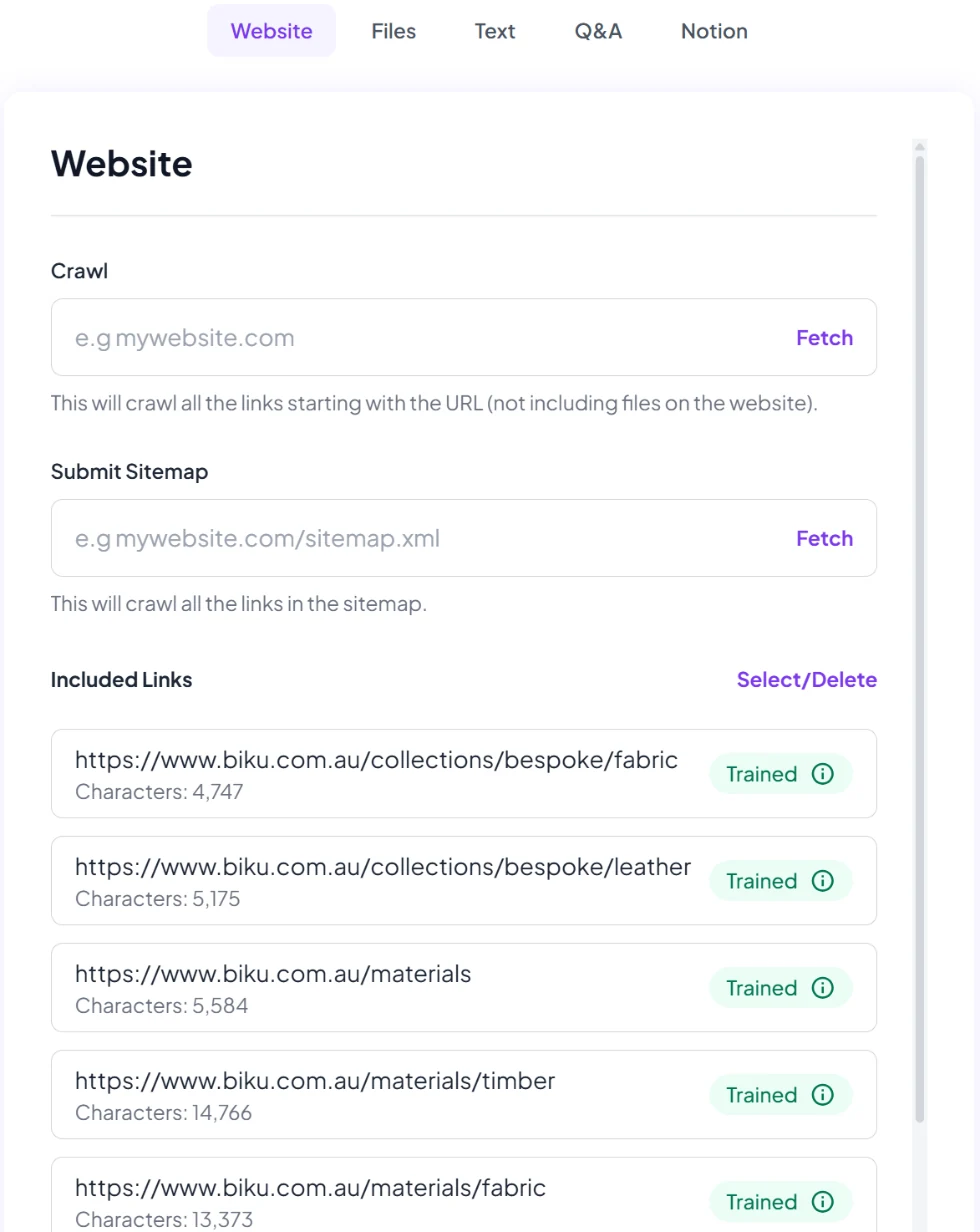
Your website
Add the address and it reads your pages, or submit your sitemap.
Files
PDF, Word, Excel, TXT and XML, such as price lists, brochures and policies.
Text and Q&A
The answers you give on the phone every day, in your own words.
Notion
Connect it if that's where you keep your notes.
Added something new? Click Retrain Chatbot, and once training finishes your chatbot uses it.
On your site
On your website with a short snippet of code
Open Embed on site, copy the code and paste it into your website's HTML. Choose how it appears:
Floating chat widget
A chat button in the corner of every page. The option Embed on site recommends.
Inside a page
An iframe embed puts the chat inside a page, such as your contact page.
A direct link
A link to a full-page chat, for emails, social bios or a QR code.
Use it on more than one website. To keep it to your own sites, list your domains in Settings.
After the chat
What happens after the chat
Details from keen customers
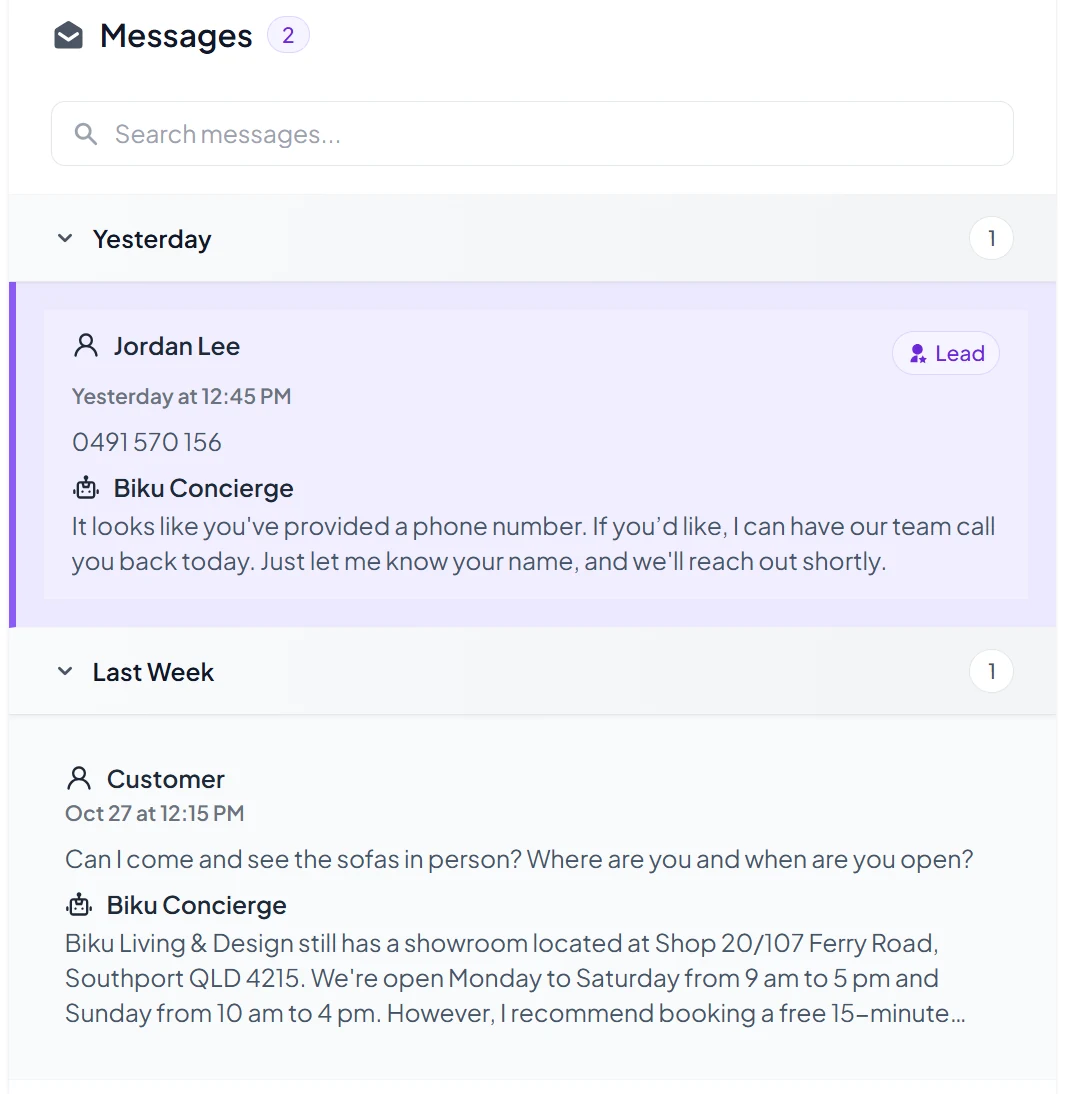
The leads form collects name, email, phone and preferred contact method. You choose which fields to show.
Every chat in your Inbox
Read every website conversation next to your Messenger and Instagram chats, and spot questions worth adding to the Knowledge Base.
Your brand on the chat
Remove "Powered by SmartChatAI" for $19 a month inc. GST, or get it included on Growth and Business.
More on chatbot lead capture, or compare plans.
We made a $6k sale from the bot.
Ryan is also SmartChatAI's founder.
Tips for your website chatbot
- Add your website first, then fill the gaps with Q&A in your own words.
- Test the questions customers really ask in the Playground before you go live.
- Turn on lead emails in Settings → Notifications, so keen customers reach you straight away.
Questions
Website chatbot questions
Coming soon
- Book appointments straight from the chat into Google or Outlook calendars
- Hand a chat to a person on your team (live chat)
We'll only call these live when they are. Until then, your chatbot takes the customer's details so you can follow up.
How do I add the chatbot to my website?
Open Embed on site in your dashboard, copy the code and paste it into your website's HTML. The floating chat widget is the recommended option. There's also an iframe embed, to place the chat inside a page, and a direct link to a full-page chat.
Which websites does it work on?
Any website that lets you add code to every page, including WordPress and Shopify. On Wix and Squarespace, that depends on your plan.
Can I use it on more than one website?
Yes. By default your chatbot works on any website you add it to. If you'd like to lock it to your own sites, add your domains in Settings.
What does it learn from?
Your website (by address or sitemap), files (PDF, Word, Excel, TXT or XML), Text, Q&A and Notion. When you add new Text or Q&A answers, click Retrain Chatbot and it uses them once training finishes.
Will it make things up?
It answers from your own content, not the whole internet. When it doesn't know, it says so and takes the customer's details so you can follow up. Test it in the Playground before you go live.
The same chatbot also answers Facebook Messenger and Instagram DMs. See all chatbot features.
Put a chatbot on your website this week.
Start free in a few minutes, or let our team set it up for you.