
Facebook Messenger chatbot Answer every Facebook message, day and night.
Customers message your Facebook Page at all hours, and if you reply the next day they may have moved on. A Facebook Messenger chatbot from SmartChatAI, made for Australian small businesses, answers in seconds, using what it's learned from your own website, files and notes.
Included on every plan, including Free · No contract · Cancel anytime
Your plumbing business
Facebook Messenger
An example Messenger conversation for a fictional business. Your chatbot answers from your own content.
Why speed matters
A reply tomorrow can be too late
People message your Page while they're deciding who to call. Answer while they're still asking, and you're the business they talk to first.
37%
of US firms replied to an online enquiry within an hour, and 23% never replied.
7x
Firms that responded to an online lead within an hour were nearly 7 times more likely to reach a decision-maker than those that waited longer.
Not just an auto reply
More than a Facebook auto reply
An auto reply says "thanks, we'll get back to you". Your chatbot actually answers the question.
Real answers in seconds
Prices, areas, opening hours, policies: whatever is on your website or in your Knowledge Base.
Nights and weekends
It answers while you're with a customer, on the tools or asleep.
Honest when it doesn't know
It answers from your content only. If the answer isn't there, it says so rather than guessing.
What you get
Set up in three steps
Teach it your business
Add your website, files and Q&A to the Knowledge Base, and test the answers in the Playground.
Connect Facebook
In Integrations, connect Facebook and choose your Facebook Page.
Read every chat
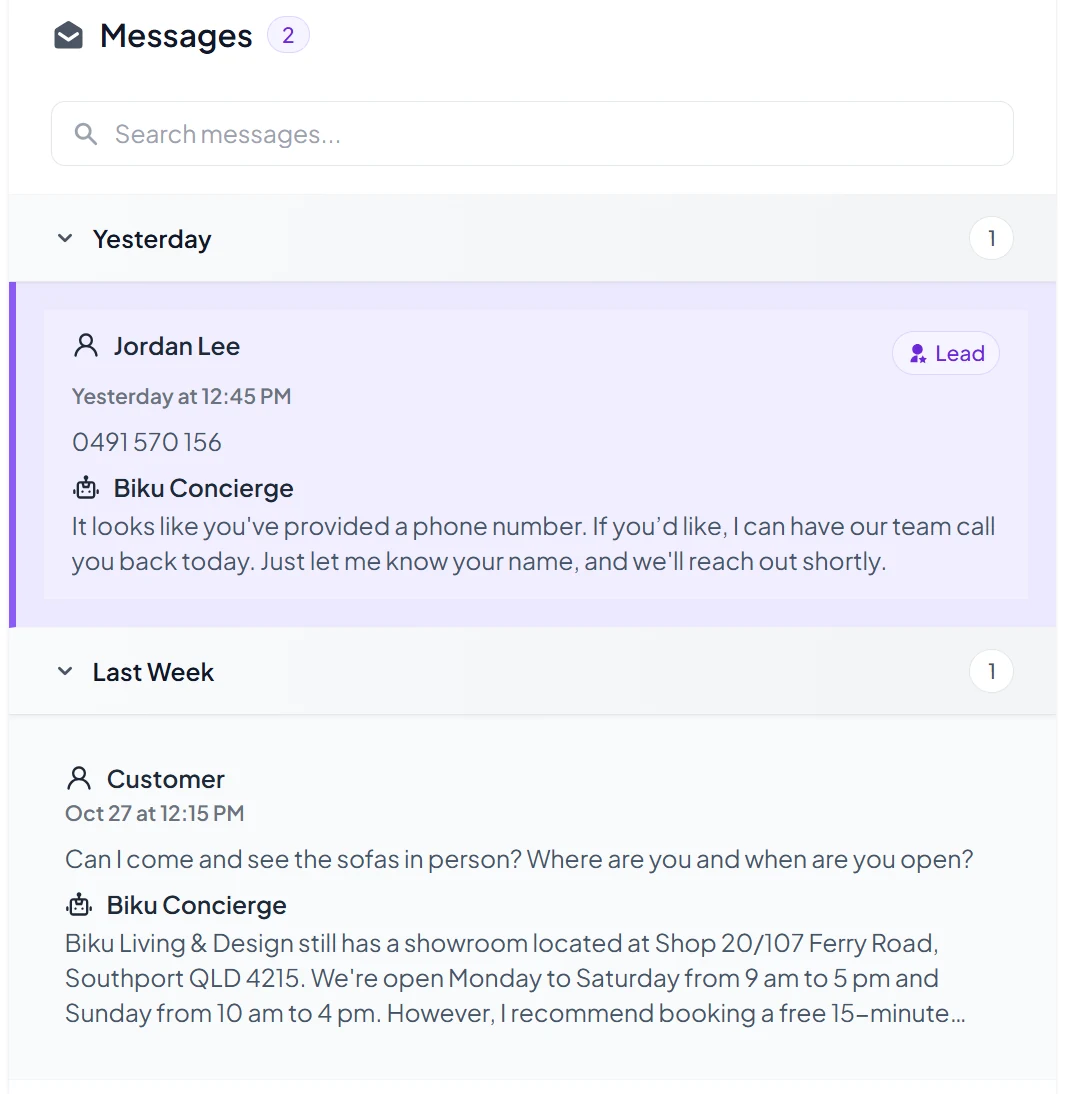
Messenger conversations land in your Inbox, next to your website and Instagram chats.
One Inbox for every channel. Instead of checking Messenger, Instagram and your website separately, you see every conversation in one place. Spot a question it couldn't answer? Add the answer and click Retrain Chatbot.
Messenger chats are for answers: the leads form runs on your website chatbot. More on chatbot lead capture.
We made a $6k sale from the bot.
Ryan is also SmartChatAI's founder.
Tips for Messenger
- Connect the Facebook Page your customers actually message.
- Add your hours, prices and service areas as Q&A, then click Retrain Chatbot.
- Check your Inbox each week and add answers to anything it missed.
Questions
Messenger chatbot questions
Next for Messenger
- Reply by DM when someone comments on your Facebook posts
- Hand a chat to a person on your team (live chat)
We'll only call these live when they are. Until then, your chatbot takes the customer's details so you can follow up.
How do I connect Facebook Messenger?
Open Integrations in your dashboard and connect Facebook. Choose your Facebook Page, and your chatbot starts answering its Messenger messages.
Is it a different chatbot from my website chat?
No. It's the same chatbot with the same Knowledge Base, so customers get the same answers on Messenger as on your website. Update the Knowledge Base once and every channel uses it after you retrain.
Do Messenger replies count towards my answers?
Yes. Each reply your chatbot sends is one answer, whichever channel it's on.
Can I reply to the customer myself in Messenger?
You can always reply from Facebook as you do today. Handing a chat from the chatbot to a person inside SmartChatAI (live chat) is coming soon.
Does it reply to comments on my posts?
Not yet. Replying by DM when someone comments on your Facebook or Instagram posts is coming soon.
The same chatbot answers on your website chatbot and in Instagram DMs. See plans and pricing or all features.
Answer Facebook messages while you're flat out.
Start free, connect your Page, and let your chatbot answer.