
Chatbot lead capture Turn chats into sales.
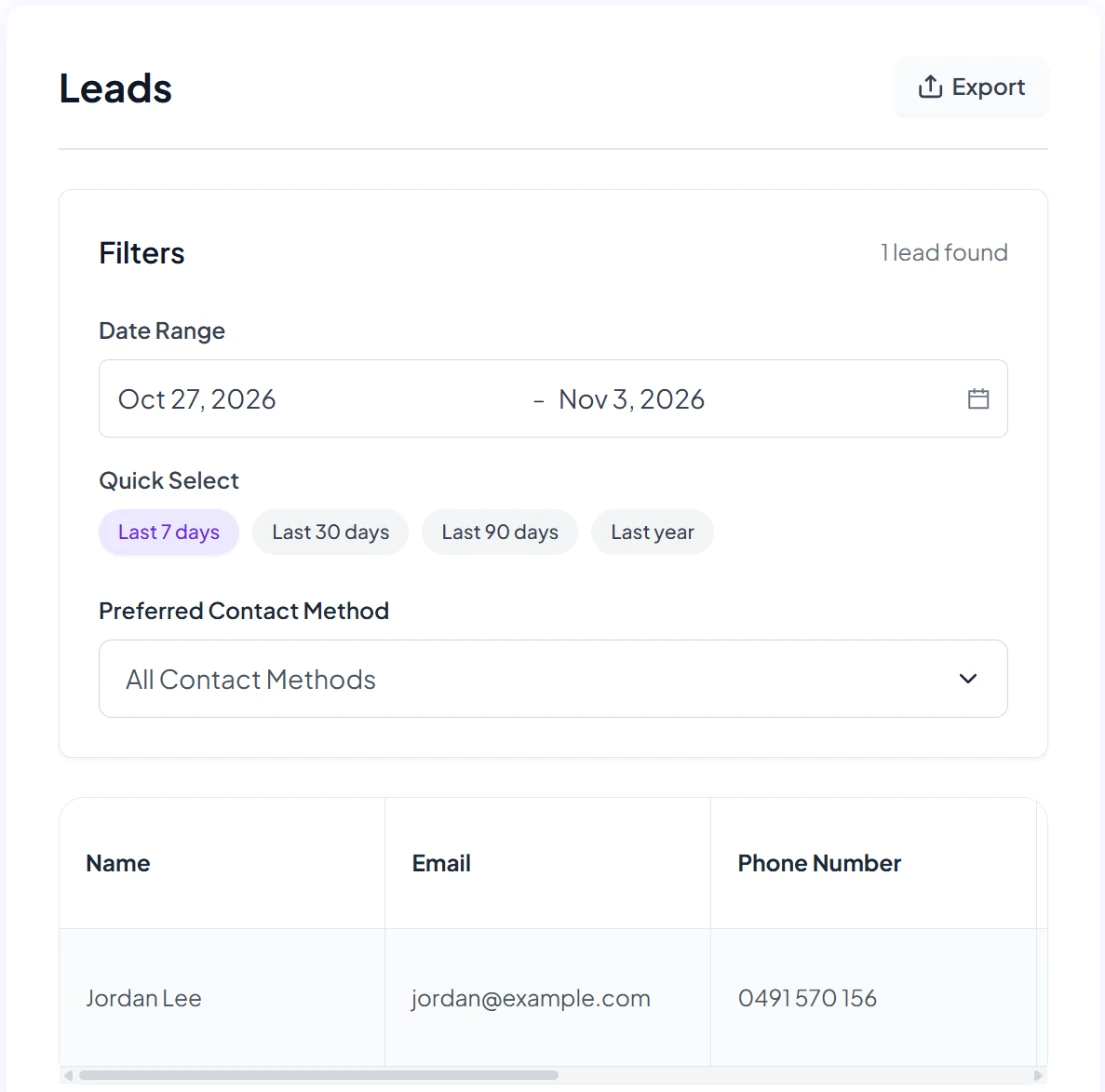
Chatbot lead capture means a keen customer doesn't just get an answer: they leave their details. SmartChatAI collects their name, email, phone and preferred contact method, and pings you straight away, so you can call them back while they're still interested. Turn on lead emails in Settings → Notifications, and each new lead is emailed to you straight away.
Free plan · No contract · Cancel anytime
Your real estate agency
On your website
New lead: Priya
3-bedroom on Marine Parade. Asked about pets. 10:16pm
An example conversation for a fictional agency. Your chatbot answers from your own content.
Why speed matters
Reply while they're still keen
An enquiry is warm for a short time. Your chatbot answers the question straight away and collects the customer's details, so your call back is to someone who's still keen.
7x
Firms that responded to an online lead within an hour were nearly 7 times more likely to reach a decision-maker than those that waited longer.
37%
of US firms replied to an online enquiry within an hour, and 23% never replied.
How it works
How chatbot lead capture works
The leads form
Ask for name, email, phone and preferred contact method. Switch each field on or off in Settings.
Every lead in your Inbox
Every lead is in your Inbox with your conversations, so you can see what they asked before you call.
Lead emails, straight away
Turn on lead emails in Settings → Notifications, and each new lead is emailed to you straight away. You can also get a leads report daily, weekly or monthly, plus a conversations email.
The Free plan collects up to 20 leads a month. Starter, Growth and Business collect unlimited leads, with export.
What you get
Send leads where you already work
Connect an integration and each lead is passed on as it arrives.
HubSpot
New leads go into your CRM.
Zapier
Send leads to the other apps you use, such as Google Sheets.
n8n
Build your own lead workflow.
Webhooks
Post each lead to your own system.
Zapier, HubSpot and n8n from Starter. Details on the pricing page.
One chat. A $6,000 sale.
At Biku, our founder's furniture and interior design business on the Gold Coast, a chat that started on the website turned into a $6,000 sale.
We made a $6k sale from the bot.
Ryan is also SmartChatAI's founder.
Tips for more leads
- Turn on lead emails in Settings → Notifications, so no lead waits for you to log in.
- Only ask for the details you need: switch the other fields off in Settings, under Leads.
- Call back the same day, while the customer still remembers the chat.
Questions
Lead capture questions
Coming soon
- Book appointments straight from the chat into Google or Outlook calendars
- Text back missed calls
We'll only call these live when they are. Until then, your chatbot takes the customer's details so you can follow up.
What details does the chatbot collect?
The leads form can ask for name, email, phone and preferred contact method. Switch each field on or off in Settings, under Leads.
How do I find out about a new lead?
Turn on lead emails in Settings → Notifications, and each new lead is emailed to you straight away. Every lead is also in your Inbox, and you can get a leads report daily, weekly or monthly. To have each lead sent on to another app as it arrives, connect HubSpot, Zapier, n8n or a webhook.
How many leads can I collect?
The Free plan collects 20 leads a month. Starter, Growth and Business collect unlimited leads, and you can export them.
Which plans include the integrations?
Zapier, HubSpot and n8n are included from Starter. See the pricing page for the full comparison.
Can it send leads to Slack?
No. The Slack integration lets your chatbot answer questions in your Slack DMs and channels. To get leads into another app, connect Zapier, n8n or a webhook.
Leads come from your website chatbot. See all chatbot features or how to add a chatbot to your website.
Turn your next enquiry into a call back.
Start free in a few minutes, or let our team set it up for you.